Skip to content
WealthGen Systems · DIY CRM Builder KitGet the kit

DIY CRM Builder Kit

Your own CRM. Built by you, with AI.

A working starter CRM with its full source code, and a step-by-step guide to make it yours. You change it in plain English with an AI coding assistant like Claude Code or Codex.

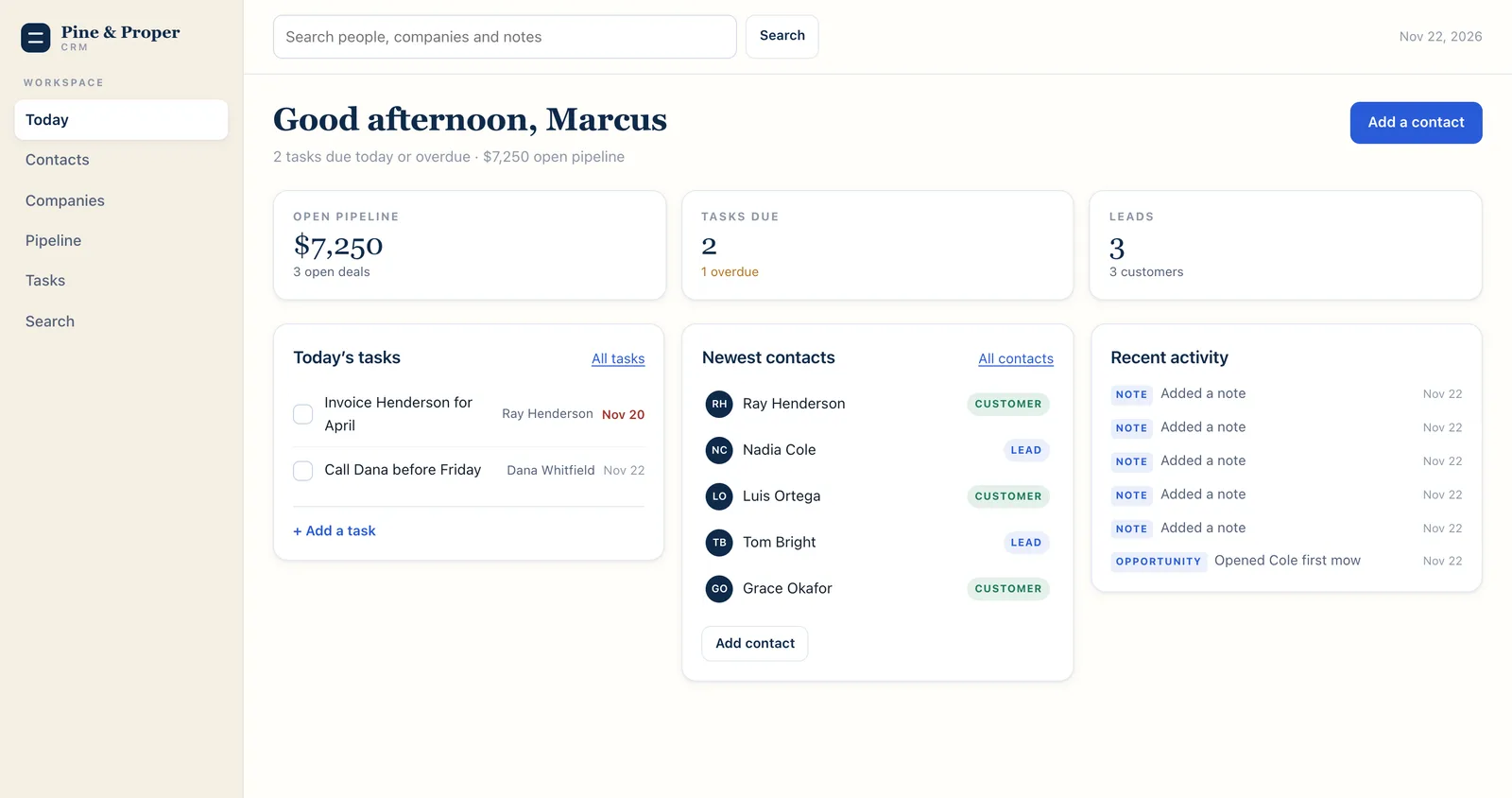
Inside the kit · real screen
The starter CRM dashboard: open pipeline, tasks due, leads, today’s tasks, newest contacts and recent activity.
The starter CRM’s dashboard, shown with the sample data that comes in the kit.

The problem

Your customers live in five places.

Texts on your phone. A paper notebook. Your email inbox. A spreadsheet you meant to update. And whatever you remember.

When customers are spread out like that, follow-ups slip and nobody sees the whole picture.

The kit gives you one place for all of them, in a CRM you own.

Inside the kit

A real CRM to start from, and the guide to make it yours.

These are real screens of the starter CRM in the kit, with its sample data.

The starter CRM dashboard: open pipeline, tasks due, leads, today’s tasks, newest contacts and recent activity.
Inside the kit Today’s tasks, your newest contacts, recent activity and your open pipeline on one screen.
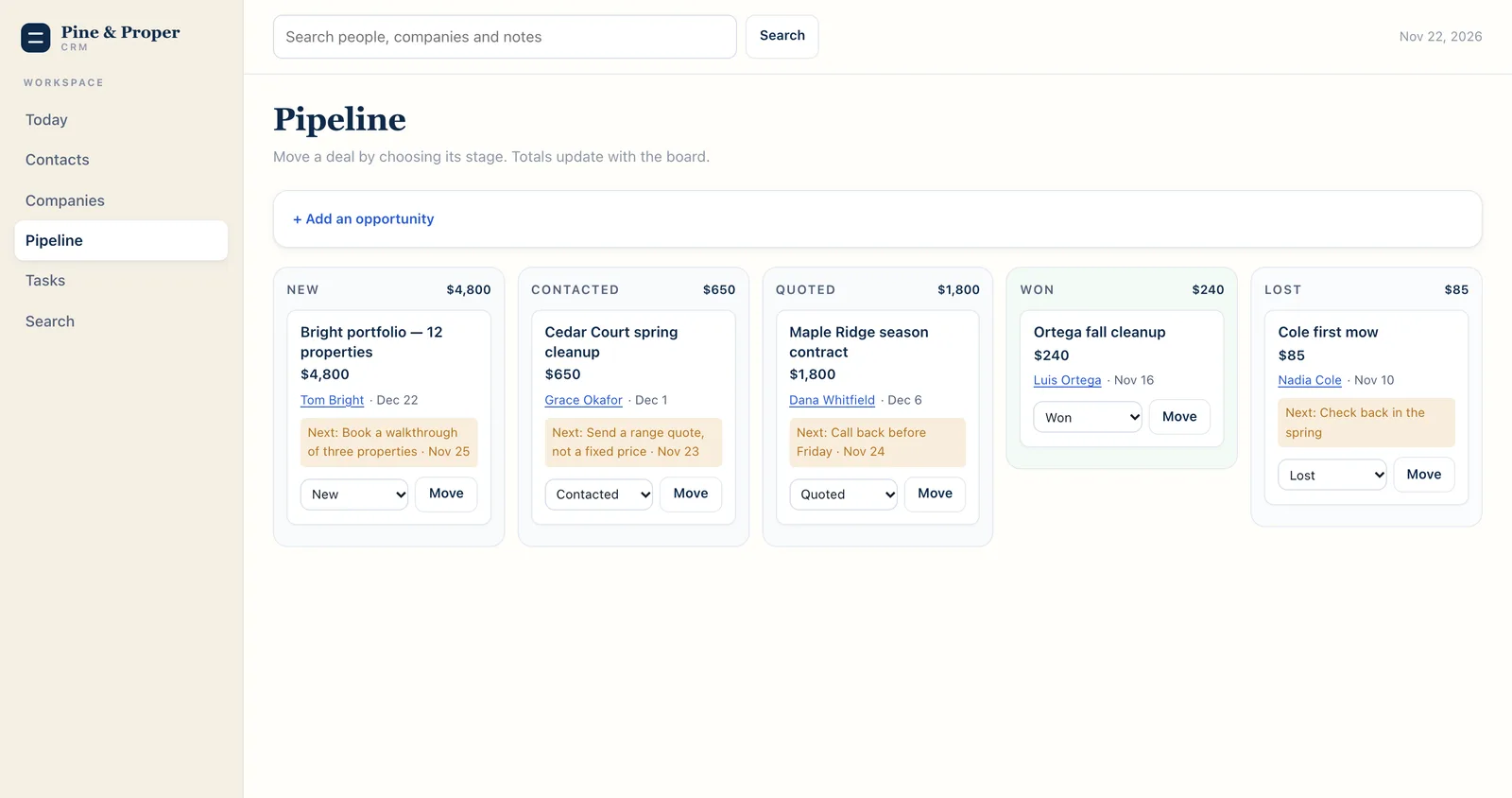
The starter CRM pipeline: deals in New, Contacted, Quoted, Won and Lost columns, open deals showing their next step.
Inside the kit Every deal sits in a stage, and open deals show the next step to chase. Move one along and the totals update.
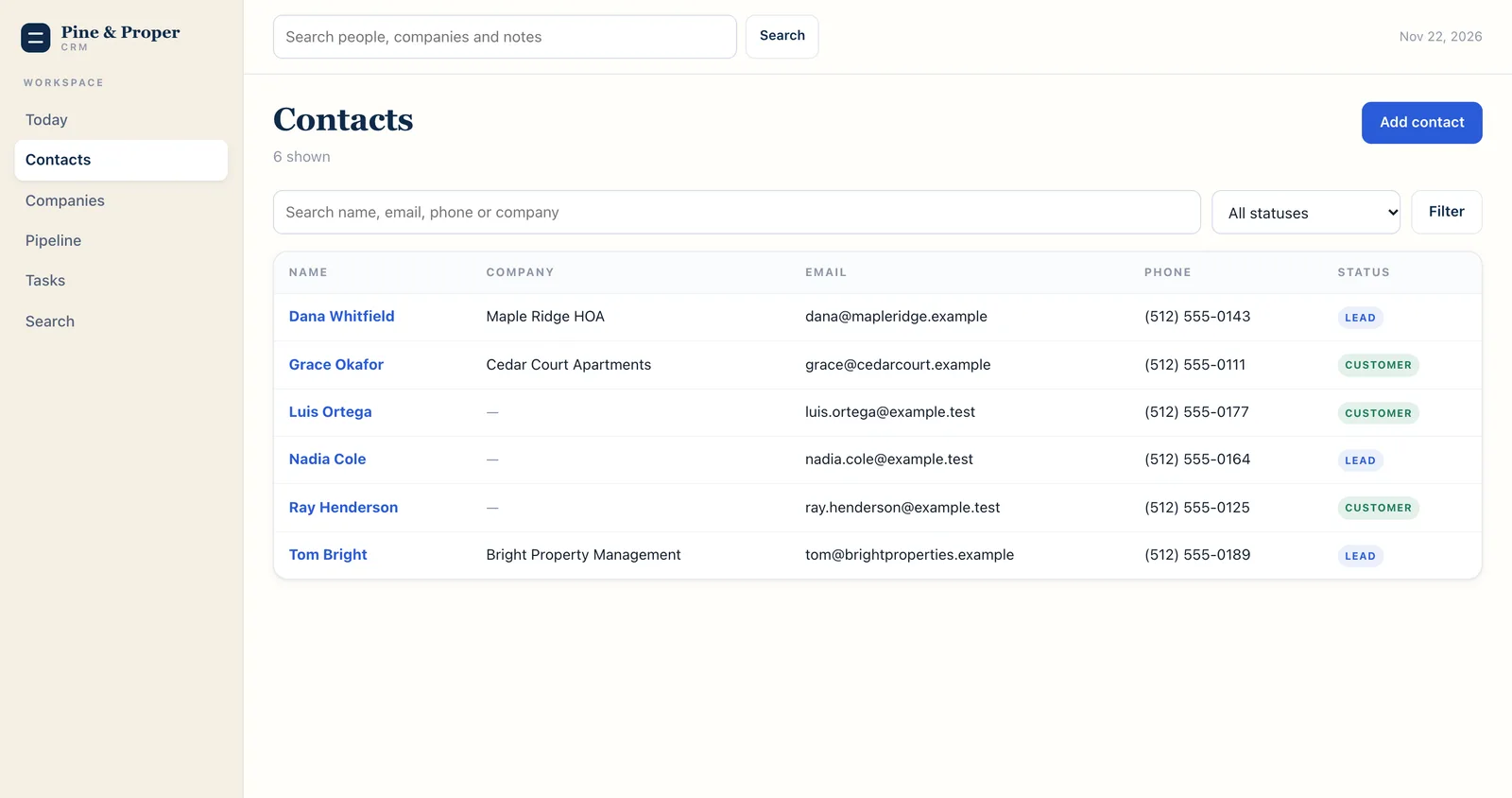
The starter CRM contacts list with name, company, email, phone and lead or customer status.
Inside the kit Every person with their company, email, phone and whether they are a lead or a customer.
  1. 01

    A 28-page step-by-step guide

    9 chapters that take you from opening the files to putting your CRM online.

  2. 02

    A working starter CRM

    Sign-in, contacts, companies, leads and a pipeline, notes, tasks with due dates, search and a dashboard. With the full source code, sample data and tests.

  3. 03

    An AI prompt library

    Prompts written for AI coding assistants such as Claude Code or Codex, so you can change the CRM by describing what you want in plain English.

  4. 04

    Setup, database and deployment help

    It runs on Node.js + SQLite, on your own computer. The help walks you through setup, your database and going online.

  5. 05

    Security, testing and launch checklists

    Short lists to work through before real customer data goes in and before you go live.

Example builds - what you could make

One kit, shaped to your kind of business.

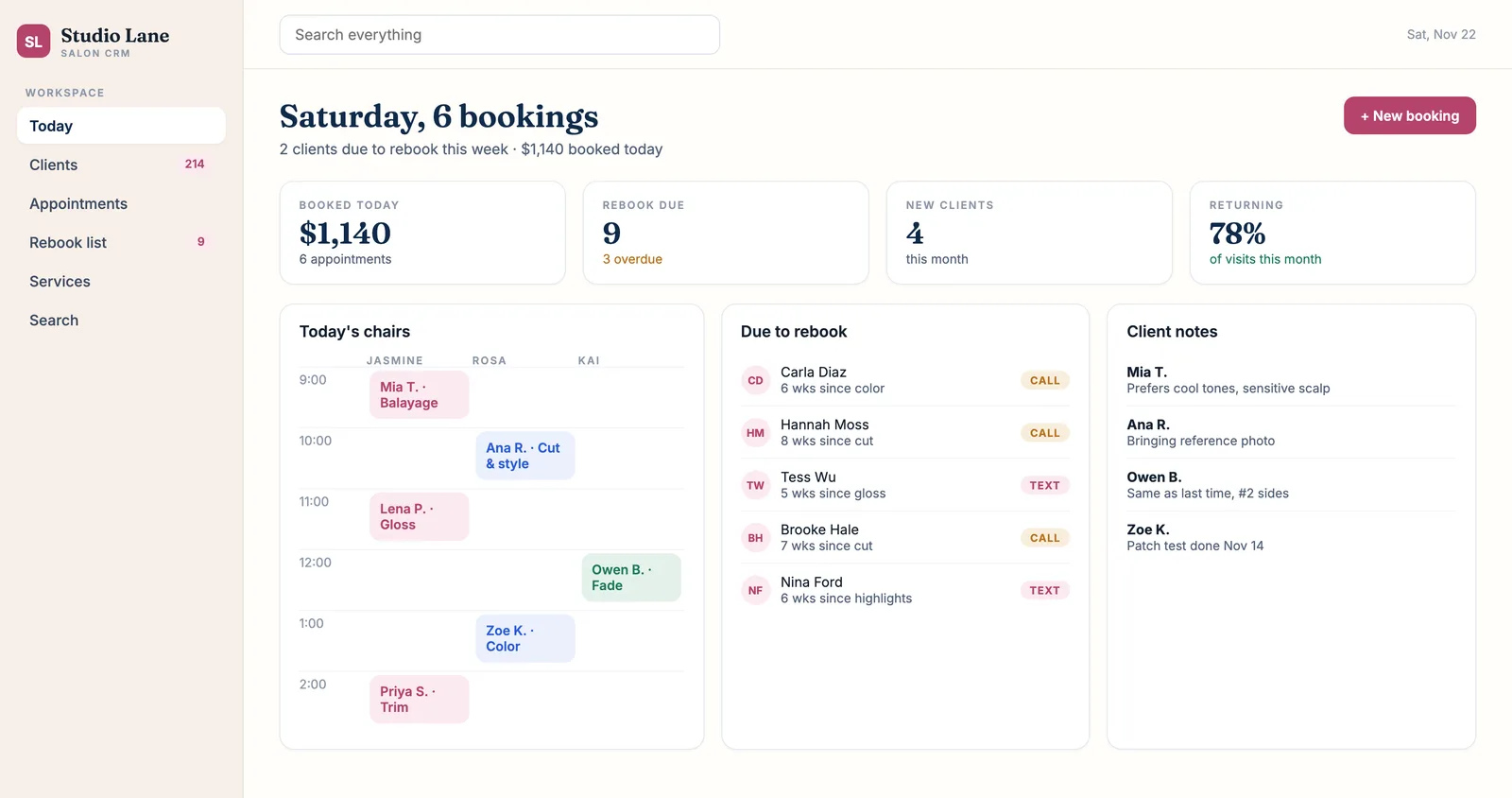
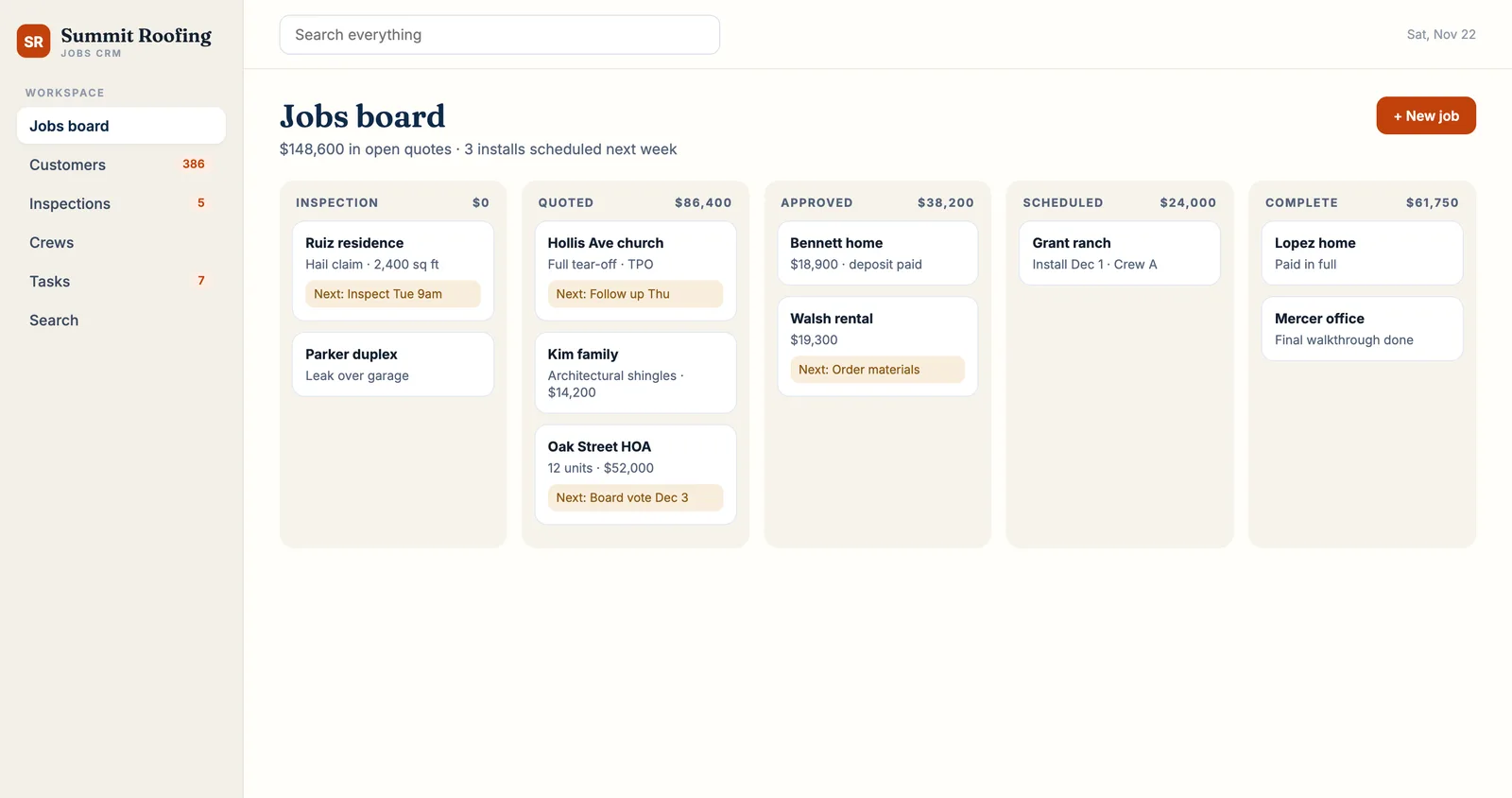
These are examples of what an owner could build from the kit. They are not real customers and the data in them is made up.

Example build: a salon CRM showing today’s bookings, clients due to rebook and client notes.
A salonExample build
Example build: a CRM laid out for a roofing company.
A roofing companyExample build
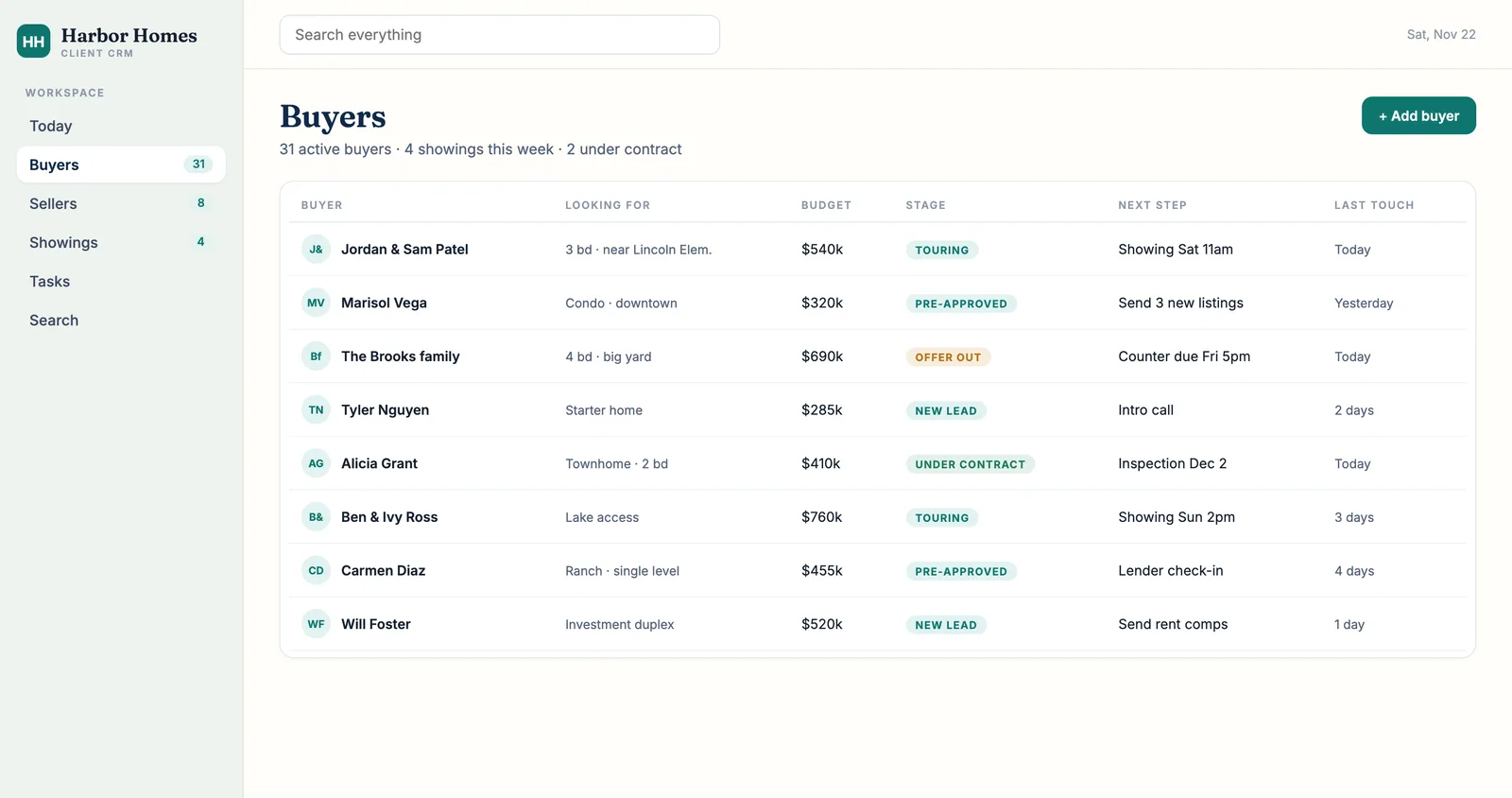
Example build: a CRM laid out for a real estate agent.
A real estate agentExample build
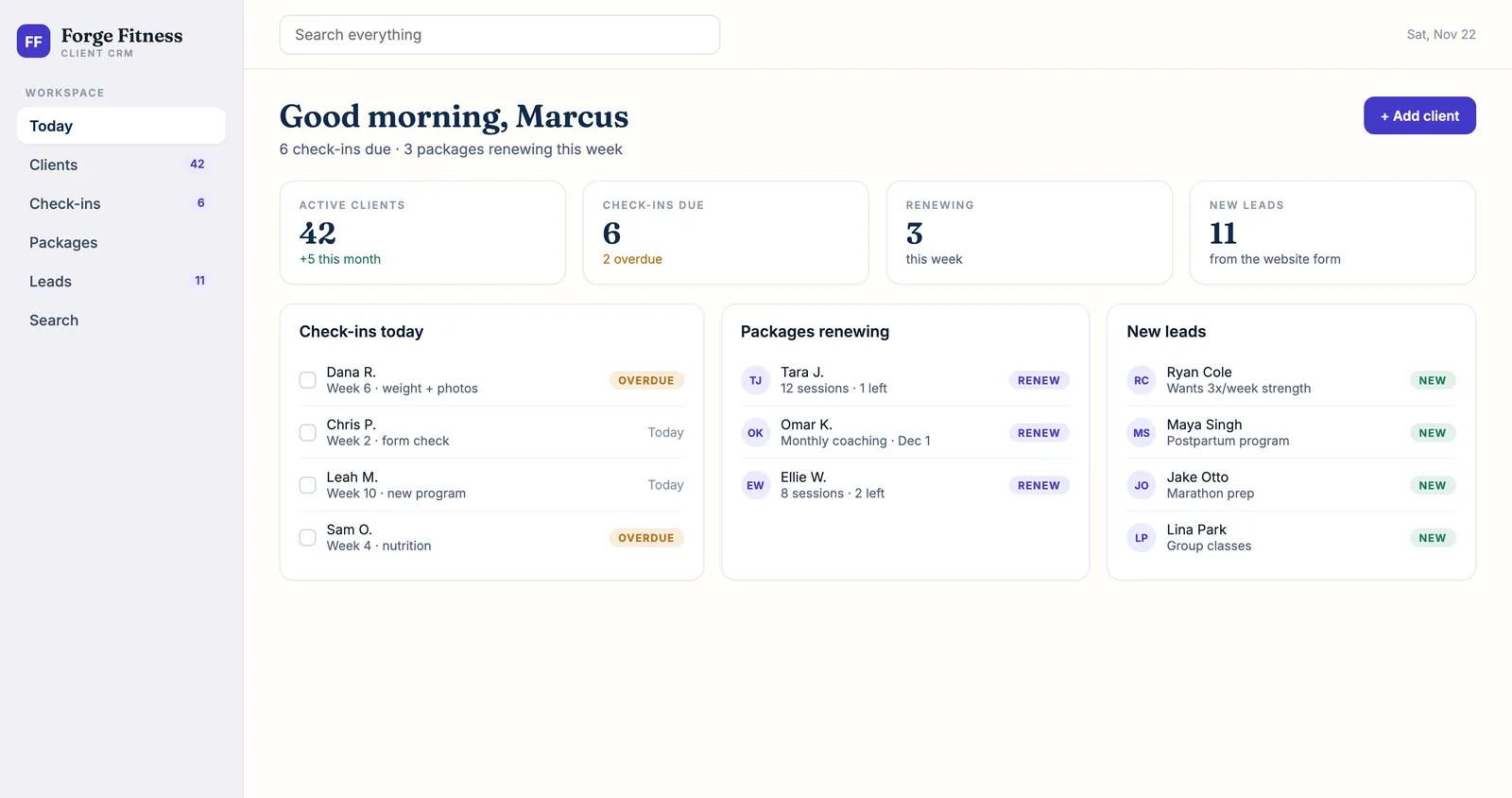
Example build: a CRM laid out for a coach.
A coachExample build

How it works

Four steps, one at a time.

  1. Step 1: Read

    Start with the 28-page guide. Each chapter is one step, in order.

  2. Step 2: Run

    Start the starter CRM on your own computer. It comes with sample data, so there is something to click on from the start.

  3. Step 3: Change it in plain English

    Tell your AI coding assistant what you want, using the prompt library. Add a field, rename a stage, change a screen.

  4. Step 4: Go online

    Follow the deployment help and the launch checklist when you are ready to use it for real.

Straight talk

What the kit does, and where people want a hand.

The kit stops at a solid CRM core on purpose. Connecting it to the rest of your business is a separate job, and it is where most owners like some help.

The kit gives you

  • A real CRM core you own: contacts, companies, leads, pipeline, notes, tasks, search and a dashboard
  • The full source code, sample data and tests
  • A guide and prompts to change it in plain English with your AI assistant
  • Help to set it up and put it online

Where owners usually want a hand

  • Sending emails and texts from it
  • Online booking
  • Taking payments
  • Website lead forms that land in it
  • An AI assistant that works with it
  • Automations

That is what the Guided Kickoff and the Mentorship are for. See the help options

Pricing

Start with the kit. Add help only if you want it.

The kit is everything you need to build it yourself. The two help options are there for when you want a hand.

Guided Kickoff

A fast start, with two live calls with Cory.

$50one time

  • Two live 45-minute calls with Cory on Google Meet
  • Both calls happen inside 14 days
  • You book the times on Cory’s calendar after paying
  • One free reschedule per call

Not refundable.

Get the Guided Kickoff - $50

CRM Builder Mentorship

Steady help, month to month, while you build and connect.

$30per month, cancel anytime

  • Two live 60-minute group calls a month
  • Message help between calls

If you cancel, it runs to the end of the month you paid for. No partial refunds.

Join the Mentorship - $30/mo

Not ready? Read the free 5-page guide, “Build Your Own AI CRM”, first.Get the free guide

Honestly

Who the kit is not for.

  • You want it done for you.

    The kit is for building it yourself. If you want someone else to set things up, the help page lists other options.

  • You do not want to install anything.

    It runs on Node.js + SQLite, on your own computer. You will install a few tools and follow steps.

  • You want an app that never needs you.

    You own the CRM, so you also decide what changes and when. That takes a little of your time.

Questions

Straight answers

Something else? Ask on the contact page.

Do I need to know how to code?

The guide goes step by step, and you make changes by describing them in plain English to an AI coding assistant. You will still install a few tools and follow instructions carefully.

Which AI assistant do I need?

The prompt library is written for AI coding assistants such as Claude Code or Codex. Those tools are separate products with their own plans.

Is it really one payment?

Yes. You pay once for the kit. There is no subscription and nothing renews.

Do I get the source code?

Yes, all of it, with sample data and tests. You can change anything.

Where does it run?

On Node.js + SQLite, on your own computer. The deployment help and launch checklist cover putting it online when you are ready.

Can it send emails, take bookings or payments?

The kit is the CRM core. Connecting it to email and texts, booking, payments, lead forms, an AI assistant or automations is where most owners want a hand, and that is what the Guided Kickoff and the Mentorship are for.

Where do I find my kit after I buy?

On the My kit page of the store. The link is also at the bottom of this page.

What about refunds?

Everything about payments and refunds is in the terms, linked at the bottom of this page.
DIY CRM Builder Kit

Put your customers in one place you own.

The starter CRM, its full source code, the guide and the prompts. Build it with your AI assistant, at your own pace.

Get the kit - $49